

Free Download | All Regulatory and Warning Signs for your Road Signage Projects
This content was created to help designers download free CAD blocks for vertical signage while developing your projects!

Vertical signage is a subsystem of traffic signals that uses signs placed on boards fixed in a vertical position, close to or suspended above the roadway, transmitting messages of a permanent or variable nature through symbols and/or legends predetermined and legally established. Therefore, we have separated CAD blocks for vertical signage to facilitate your project.
While CAD blocks are an excellent alternative for initiating or complementing vertical signage projects, as the project grows in complexity, the manual management of these elements can become limited. In more robust projects, quantity control, standardization, and compliance with regulations require more specialized solutions.
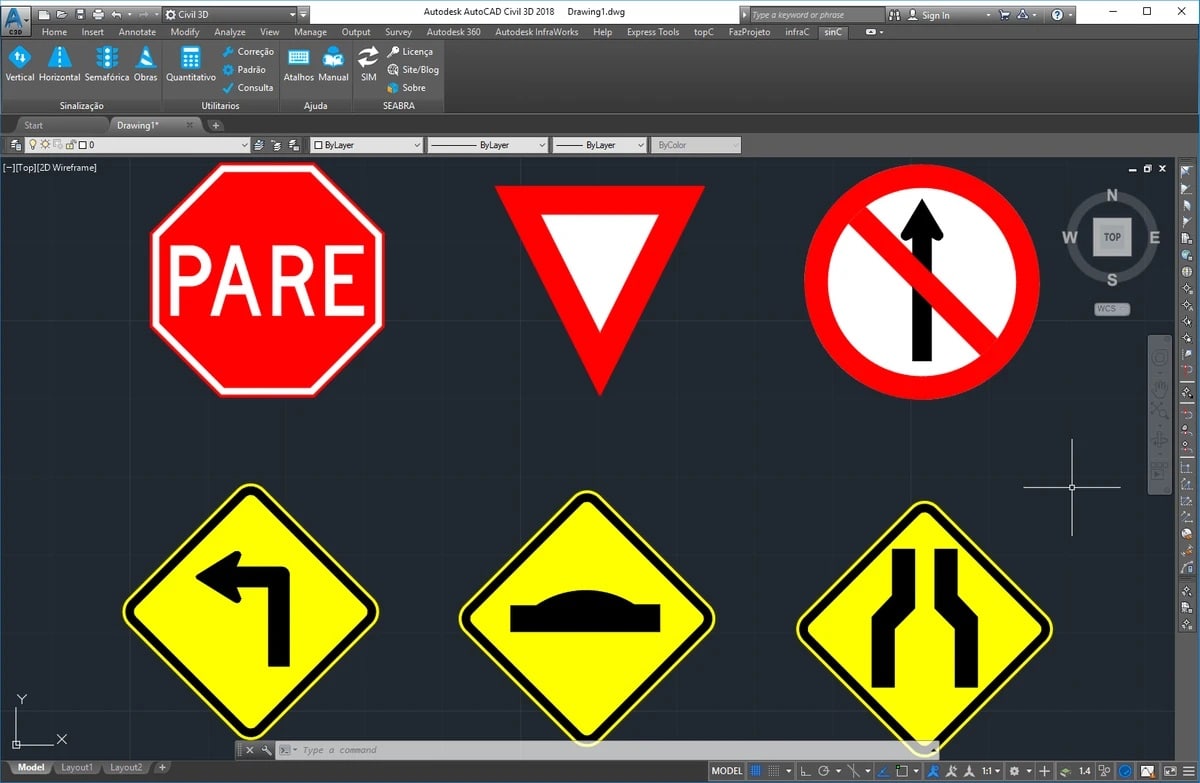
In this context, the sinC It acts as a natural evolution to the use of CAD blocks, allowing for the automated implementation of vertical signage directly in the CAD environment. With it, the designer inserts pre-standardized signs according to regulations, automatically generates quantities, and maintains complete consistency between the drawing and the project documentation.
In any case, if you are working in road signage projects, This DWG road signage library for AutoCAD will certainly be of great help! In this content created by Seabra, we have separated all the regulatory and warning labels and made the files available for free download!
Regulatory Vertical Signage
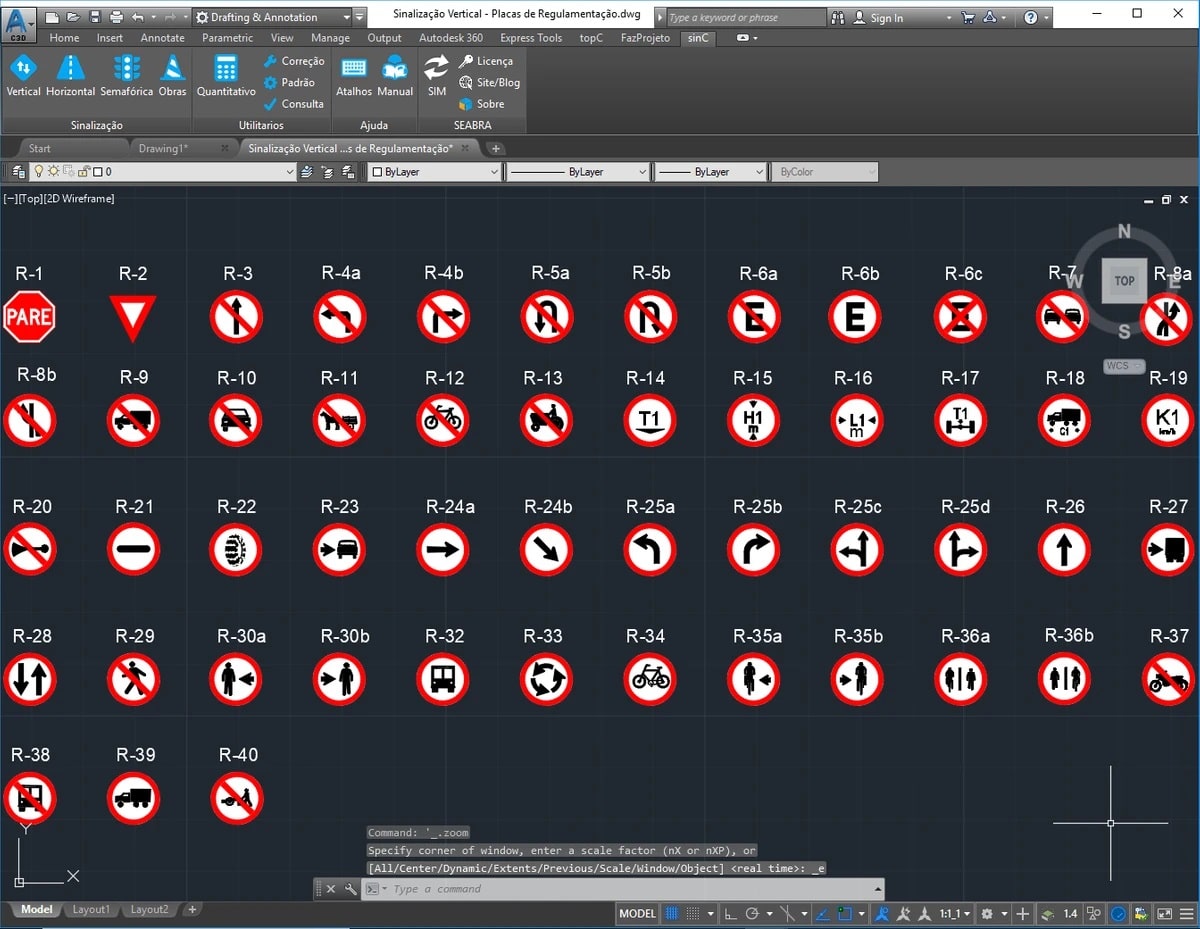
Regulatory vertical signs are classified according to their function of regulating the obligations, restrictions, prohibitions or constraints governing the use of the road. More information about their use and dimensioning can be found in Vertical Signaling Manual CONTRAN Regulation!
See below an example of our file with all the control board blocks in DWG for AutoCAD:
Vertical Warning Signs
Vertical warning signs are classified according to their function of alerting the driver to potentially dangerous conditions on or near the road, such as schools and pedestrian crossings. More information about their use and size can be found in CONTRAN's Vertical Warning Signage Manual!
See below an example of our file with all the control board blocks in DWG for AutoCAD:
Oh, and we've also prepared content for horizontal marking to make your work even more complete! In it, you'll find letter blocks and script files, all in .dwg format for Autocad. Check it out: CAD Blocks for Horizontal Signage DWG.
If you are already working with BIM projects, download the 3D plate blocks now to develop your projects. We have prepared complete content for you. Check it out: 3D blocks for BIM signage projects.
Feel free to tell us what you think of our content and if you have any other material we can provide to help! We're always here, okay?!
Frequently Asked Questions:
Where can I find complete libraries of signage templates in CAD block format?
You can consult this material of ours:
https://seabrasolucoes.com.br/diagramacao-de-placas-de-sinalizacao-vertical-no-autocad-ou-civil-3d/
But keep the following in mind:
Unlike regulatory and warning signs, directional signs are highly specific to each project, varying according to destination, text, layout, typography, and road context. For this reason, creating a fixed library of CAD blocks for directional signs becomes impractical, since each project requires customized and frequently updated signs.
To efficiently meet this need, sinC stands out by having the only Signage Modeler on the market, which allows for the automated creation, design, and updating of signage, generating them directly in 2D and 3D for use in BIM projects. This eliminates the need for static libraries and ensures full regulatory compliance and technical consistency in the project.
Is there a more automated way to implement vertical signage in AutoCAD?
Yes. With the use of specialized software such as sinC, it is possible to implement vertical signage in an automated way, with standardized signs according to regulations, automatic generation of quantities, and direct integration with the project development workflow.
See you later,


