
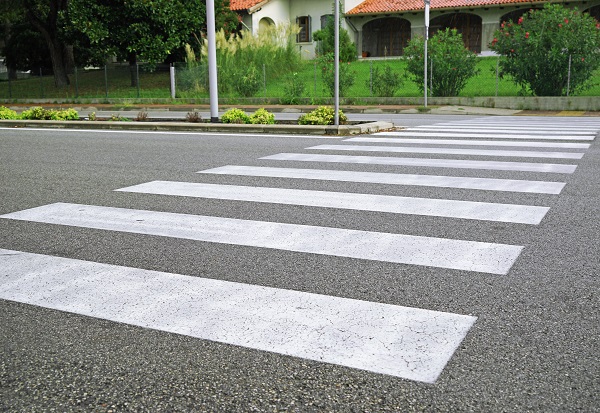
Download our free dynamic pedestrian crossing block for AutoCAD to use in your road signage projects.
Greetings designers! In this content, you will be able to download the pedestrian crossing dynamic block (FTP) in DWG format for free, ideal for facilitating and speeding up the inclusion in your road signage projects. In addition, we will cover the different types of pedestrian crossings as specified in the CONTRAN manual, analyzing their respective applications.
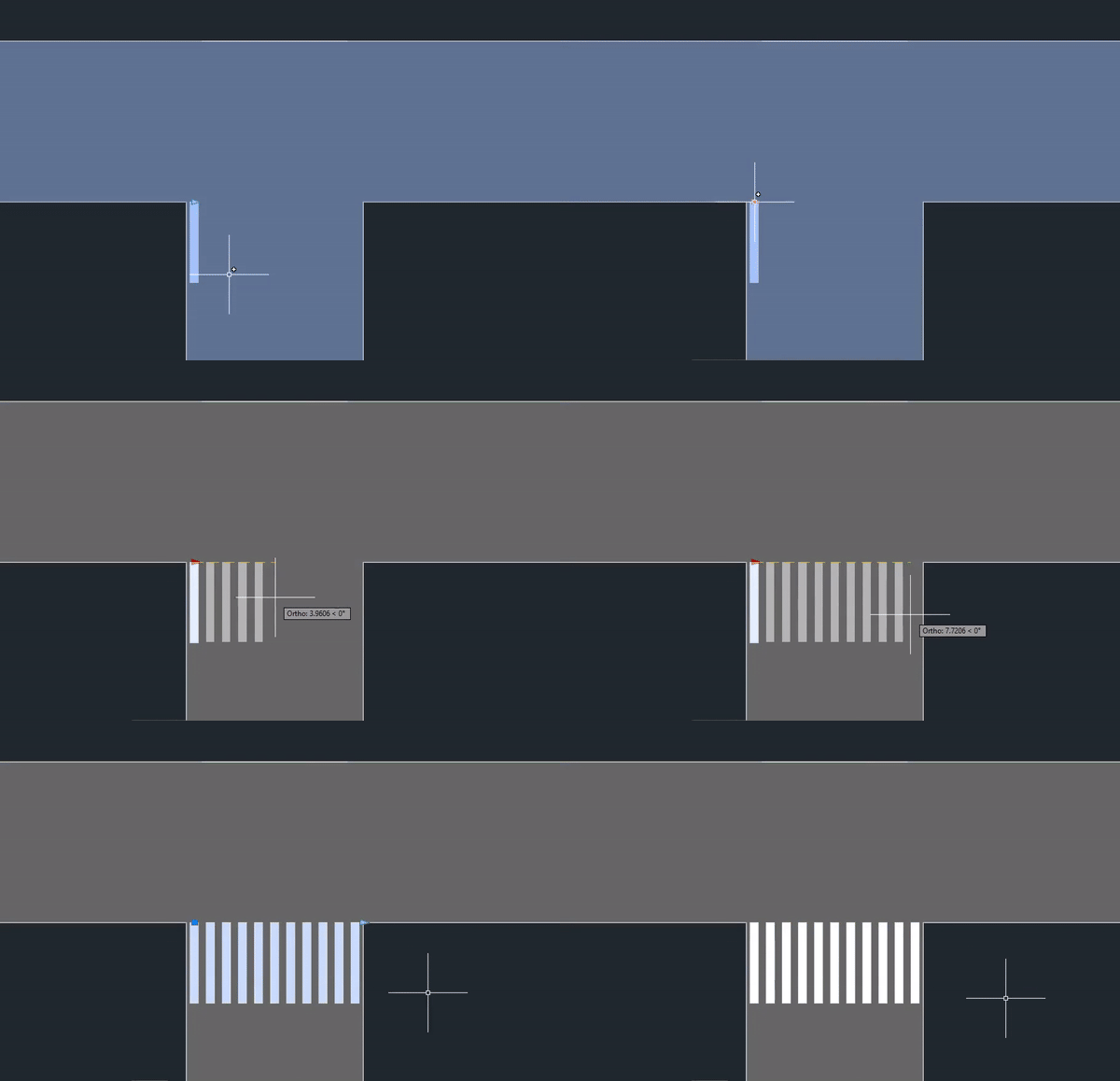
You can also learn how to use and customize our dynamic block for pedestrian crossings through our video tutorial, below:

If you frequently develop signage projects, it's worth knowing that in addition to the DWG block, you can create and standardize pedestrian crossings much more quickly using... sinC. The plugin works within AutoCAD and helps insert horizontal road markings according to standards and manuals, reducing rework and speeding up the project.
We demonstrate this possibility (in addition to the tutorial on how to use the free dynamic FTP block) in the video below:
If you are developing a signage project, in addition to using our dynamic dwg block for pedestrian crossings (FTP), it is also important to learn the function of this type of horizontal signage:
What is a pedestrian crossing and why is it important?
A crosswalk is a marking on the asphalt that promotes pedestrian safety when crossing the road. These are demarcated areas where drivers are legally required to give way to pedestrians. This measure aims to significantly reduce the risk of accidents, especially in high-traffic areas and areas near schools, parks, and other places frequented by people.
What are the types of pedestrian crossings according to CONTRAN?
According to the National Traffic Council (CONTRAN), pedestrian crossings can be classified into different types, depending on their purpose and location. Here are the main types:
“Zebra-Type” Pedestrian Crossing (FTP-1):
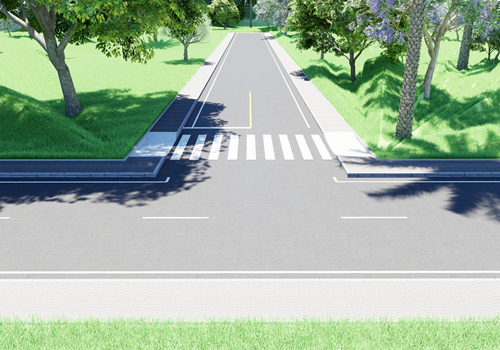
- It should be used in places, with or without traffic lights, where the volume of pedestrians is significant near schools or travel-generating hubs, in the middle of a block or where engineering studies indicate its need.
“Parallel Type” Pedestrian Crossing (FTP-2):
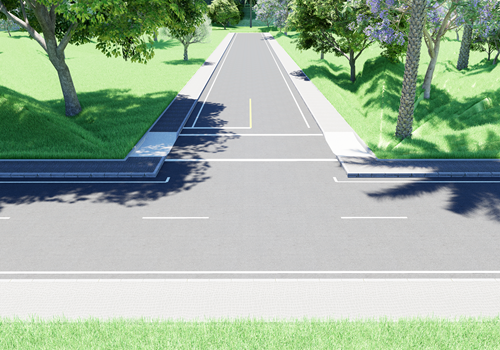
- Located at intersections with traffic lights.
- It signals the safe moment for pedestrians to cross according to the traffic light cycle.
Elevated Pedestrian Crossing:
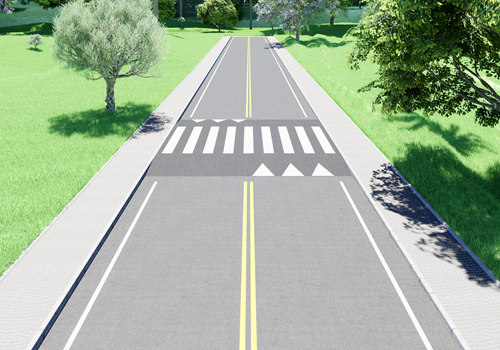
- Also known as lumbosacral or elevated sash.
- It is a transverse lane, but elevated in relation to the level of the roadway.
- It helps reduce vehicle speed and increases pedestrian visibility.
Road-cycle crossing marking (MCC):
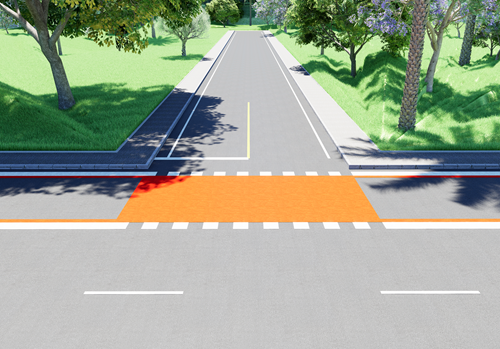
- Intended for pedestrians and cyclists, it should be placed along the intersection in order to show the cyclist the path to be followed.
- It can be signaled in a shared way for both modes, indicating the safe place to cross.
It is important to note that all pedestrian crossings must follow the standards established by CONTRAN regarding signage, painting, visibility and location, thus ensuring the safety of pedestrians and drivers in urban traffic.
In short, pedestrian crossings (PTCs) play a crucial role in urban road safety, providing safe crossing points for pedestrians and helping to regulate traffic flow. With clear standards and ongoing awareness, we can ensure that these essential elements continue to play their vital role in protecting lives and promoting safer traffic for all.
FAQ – Pedestrian crossings in road signage projects
What is a pedestrian crossing (FTP) and what is its function in traffic?
A pedestrian crossing is a type of horizontal signage that indicates the location designated for the safe crossing of pedestrians, where vehicles have a legal obligation to yield the right of way. Its main function is to organize traffic flow, reduce conflicts between vehicles and pedestrians, and increase road safety, especially in urban areas with a high volume of people.
What are the main types of pedestrian crossings defined by CONTRAN?
According to CONTRAN (National Traffic Council), pedestrian crossings can be classified into different types according to their location and purpose, such as the zebra crossing (FTP-1), the parallel crossing at signalized intersections (FTP-2), the raised pedestrian crossing (speed bump), and the road-cycle crossing marking (MCC). Each type has specific application criteria defined in a technical manual.
When should a raised pedestrian crossing (speed bump) be used?
Raised pedestrian crossings should be used in locations where there is a need to reduce vehicle speed and increase pedestrian visibility, such as near schools, residential areas, and roads with a history of accidents. In addition to signaling the crossing, it acts as a traffic calming element and must always comply with the geometry and implementation standards established by traffic authorities.
Is it possible to use DWG blocks for pedestrian crossings in professional projects?
Yes, DWG pedestrian crossing blocks can be used in professional projects as long as they are correctly dimensioned, standardized, and comply with the manuals of CONTRAN (Brazilian National Traffic Council) and the agencies responsible for the road. The use of well-structured blocks speeds up project development, but requires attention to avoid errors in scale, positioning, and improper application.
How can I draw pedestrian crossings in AutoCAD more quickly and in a standardized way?
The most efficient way to design pedestrian crossings in AutoCAD is by using specialized tools that automate the creation of horizontal signage according to regulatory standards. In addition to using DWG blocks, solutions like sinC allow you to insert, adjust, and standardize pedestrian crossings directly in the design environment, reducing rework and ensuring greater technical compliance.
Want to improve your projects even further? See other materials with free downloads that may be useful in your projects:
CAD Blocks for Vertical Signage DWG
CAD Blocks for Signage Horizontal DWG
3D Blocks for Vertical Signage in BIM
We hope these materials can be useful in your routine as a road sign designer.
See you later,


