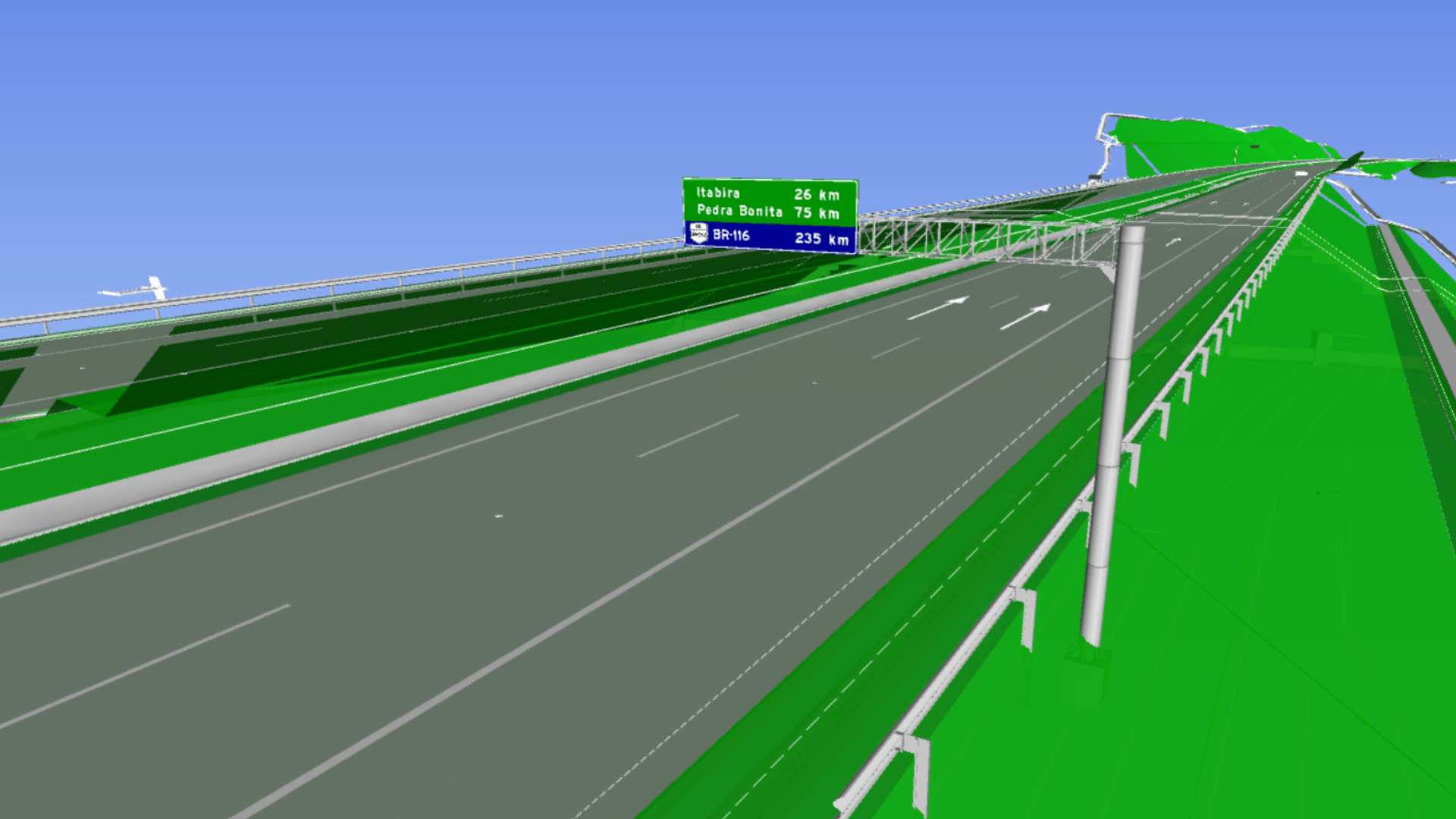
We know this new feature can be a bit scary. But with sinC, your BIM signage project can be just a few clicks away.
We have no doubt that you hear about this new work methodology all the time, but what about in practice? How about we guide you right now in the next few minutes to develop a signage project entirely in BIM?
You can follow the step-by-step text below, or if you are a person who learns better with visual resources, there is a video with the same step-by-step at the end of this content.
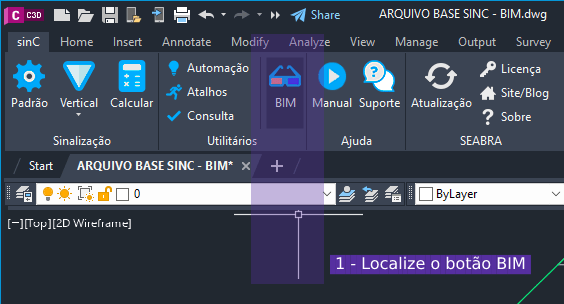
Step 1) Locate the BIM tab in your sinC
DOWNLOAD THE FILE WE ARE GOING TO USE HERE
After opening our file that will be transformed into BIM (mentioned above), locate the button with the name BIM in your sinC:
Step 2) Move the signage elements to the height of the surface.
By clicking on the button mentioned in step 1, you will see the menu named BIMMAKER. Use it both to switch the view of your project between 2D and 3D with buttons 2 and 3, and to move block-type and line-type elements to the height of the surface with buttons 3 and 4:
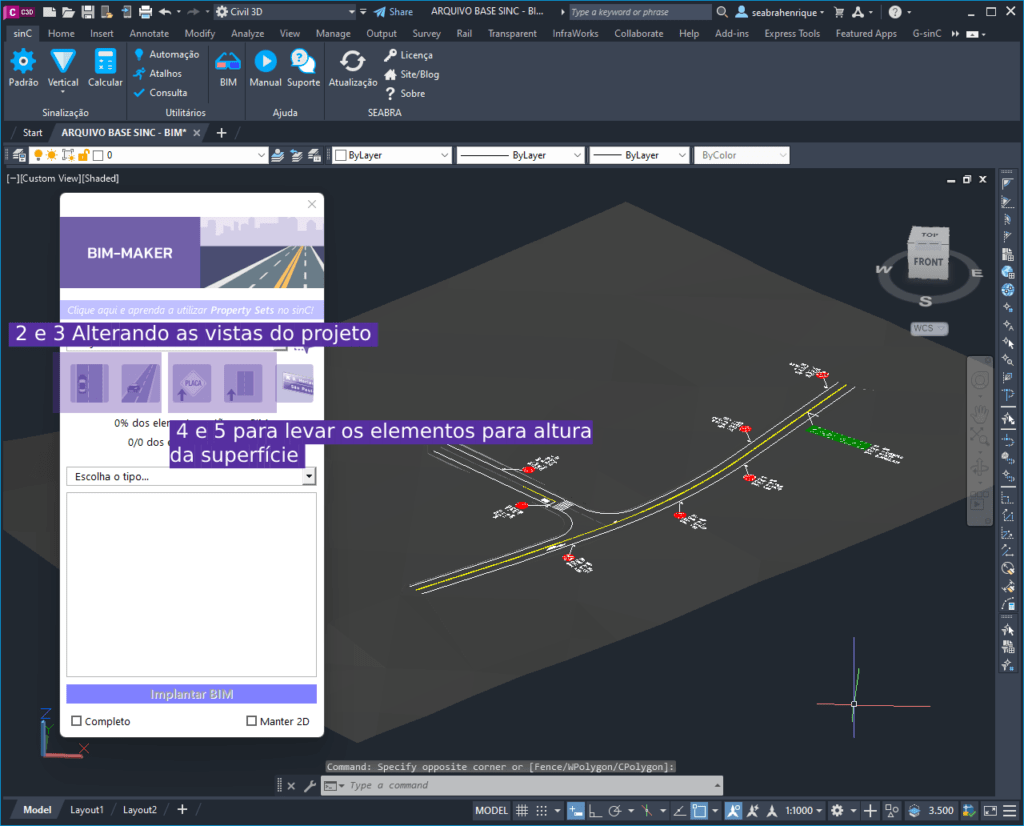
After applying the buttons above, you should see a project similar to the one above, with a surface, but 3D elements arranged on it, but not yet in BIM… But we are close to that, let's go!
Step 3) Use BIMMAKER to automate your BIM modeling.
Now, use the selection field below the buttons you used to choose the category of elements you want to transform into BIM, click on “complete” and then on the Deploy BIM button, as below:
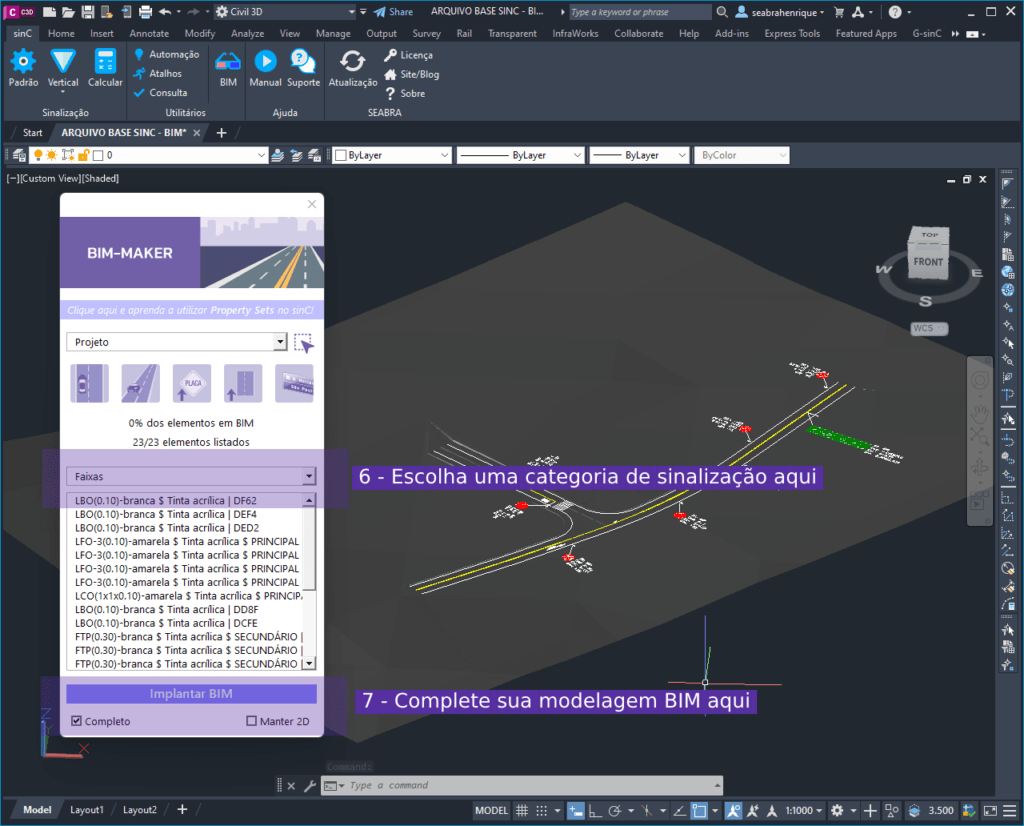
Once these steps are completed, your signage project will be modeled in BIM, with the elements in three dimensions and construction information linked to the model, as follows:
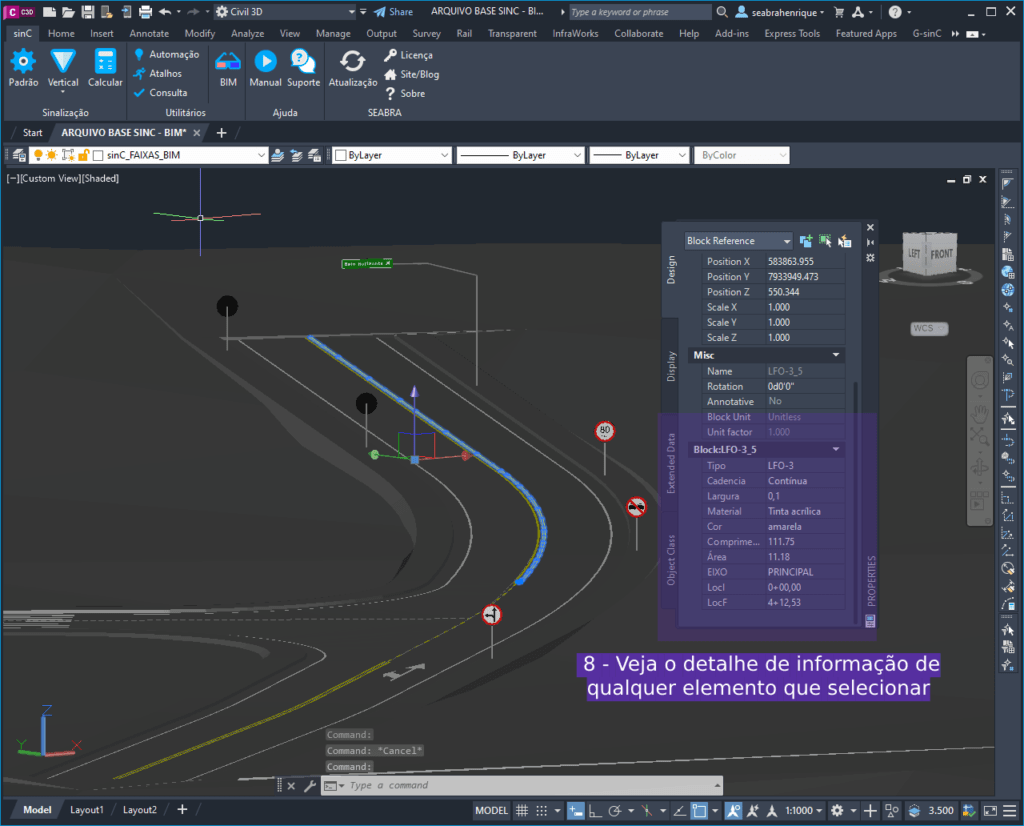
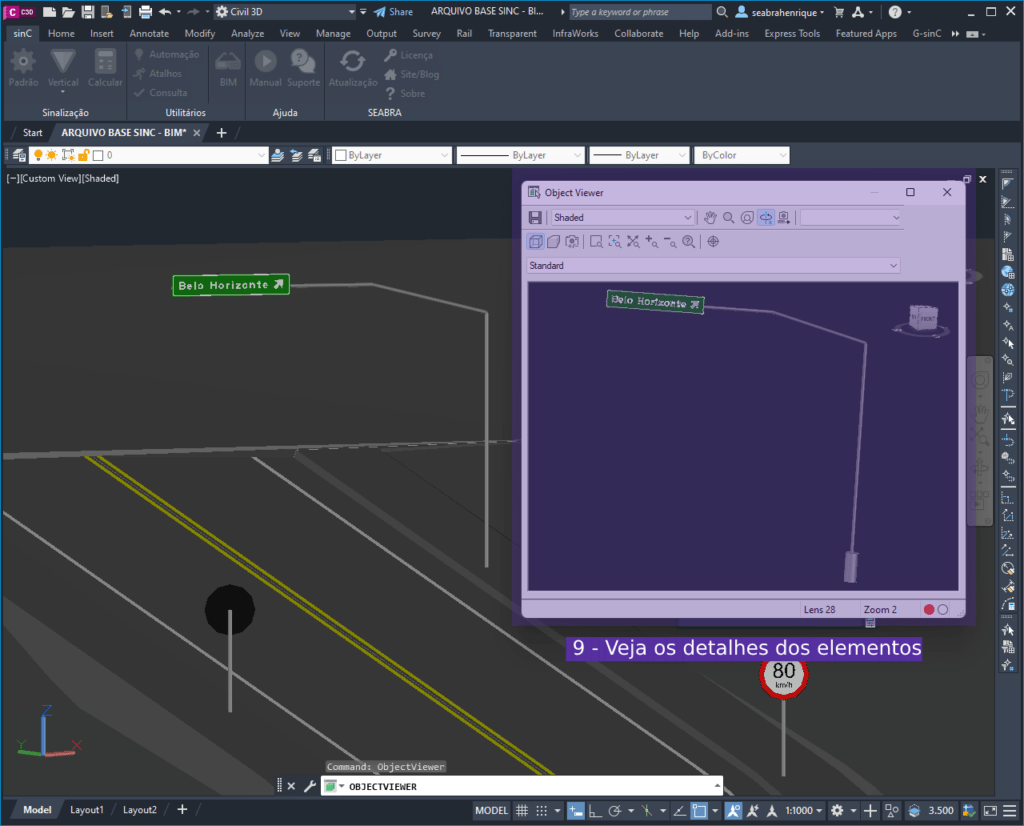
In addition to the detailed information, also note the detail of the actual dimensions of the vertical objects, such as support, plate and foundation:
Mastering the development of signage projects in BIM has long since ceased to be a differential and has become mandatory knowledge for a serious professional who wants to remain in the market.
Fortunately, with sinC, your journey will become much more practical!
Bonus: Safety devices in BIM
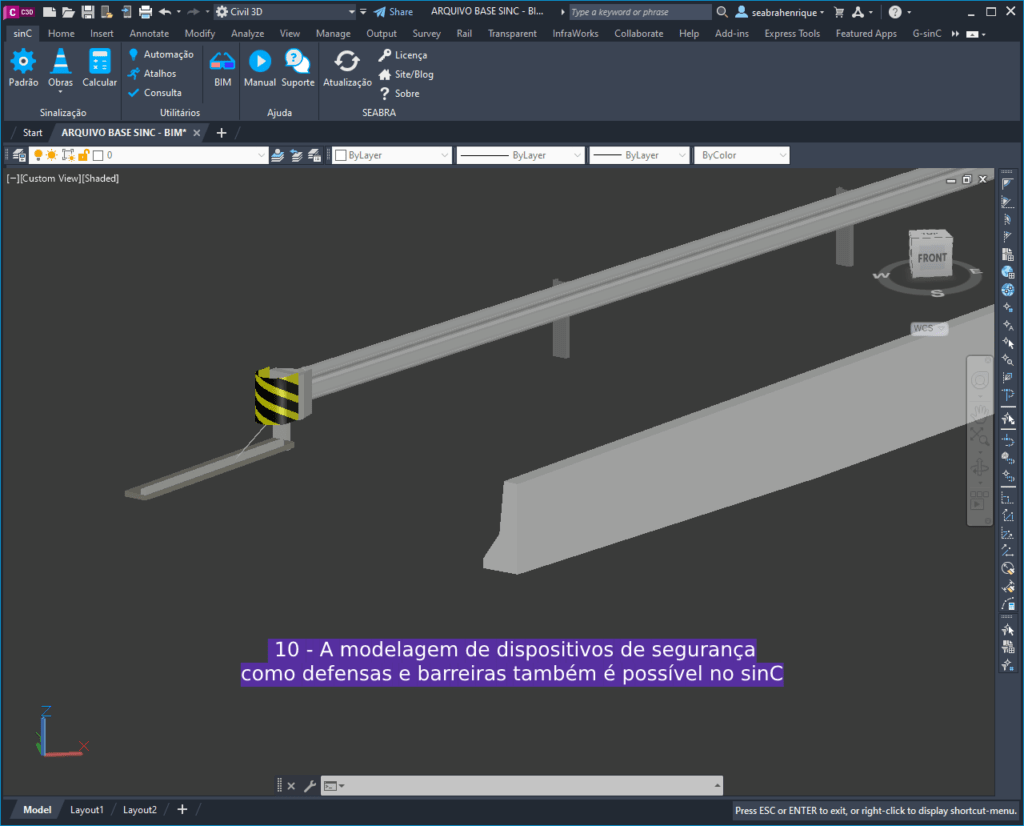
You thought we would forget about these important components of a road safety and signage project, didn't you? Well, sinC also “gets the job done” when it comes to BIM modeling for road safety element signs, check it out:
Now it’s up to you! Embarking on the “new chapter” of engineering history is up to you.
Do you learn better with visual aids? Watch a short video with all the content above:
DOWNLOAD THE FILE WE ARE GOING TO USE HERE
See also Episode 02 – Generating Quantitativeseo Episode 01 – Inserting signage elements from our mini-tutorial with sinC!
See you later,