Watch a demonstration of the Road Sign Design software in Plug-in format for AutoCAD/CIVIL3D!
Greetings, designer! Through the form above, you can learn about sinC, our software for road signage design. With over... 10 years of continuous evolution, sinC has consolidated itself as Market leader in road signage projects in Brazil.
The solution is used by thousands of designers and adopted by engineering companies of different sizes, including multinational groups. Furthermore, sinC is also present in higher education institutions, being used as a support tool in the training of new professionals in the field of road signage and infrastructure.
All this experience allows us to understand well the difficulties that signage designers face in their daily work:
- Slowness when drawing signage projects using only Autocad/CIVIL3D;
- Quantification of the entire project manually, generating errors and delays in delivery;
- Manual drawing of zebra crossings and pedestrian crossings;
- Look at and note the location of each project element manually;
- Lack of practicality, waste of time and consequently money.
Now, imagine all these difficulties being solved by one software in the form of a plug-in for AutoCAD/CIVIL3D that helps you insert signs, lanes, traffic lights, calculates the quantity of your project in seconds and even transforms all your signage into BIM, allowing you to export it to platforms such as Infraworks and Navisworks!
Here's how it works:
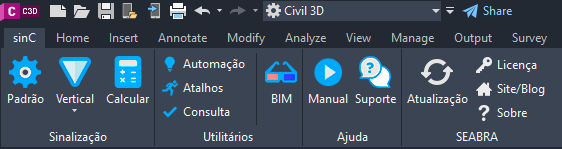
sinC is installed inside your AutoCAD/CIVIL3D, bringing new functions, such as:
- Implementation of Vertical/Horizontal/Traffic Light/Construction Signage with 1 click;
- Proprietary sign modeler, generating 2D and 3D DWG signs natively;
- Quantification of projects in SECONDS. Export the quantitative for a fully illustrated Excel spreadsheet;
- Zebra crossings, pedestrian crossings and other powerful automations for your Horizontal Signage;
- Automated interaction with CIVIL3D: Insert your signaling by indicating KM or Stake with automatic calculation of information;
- Super project automation: Use Civil 3D to insert Alignment Markers on curves and Kilometric Markers on the section;
- Generate service notes for your projects (ideal for extensive road projects);
- Signage and safety devices in BIM (Plates, Banners, Captions and Studs).
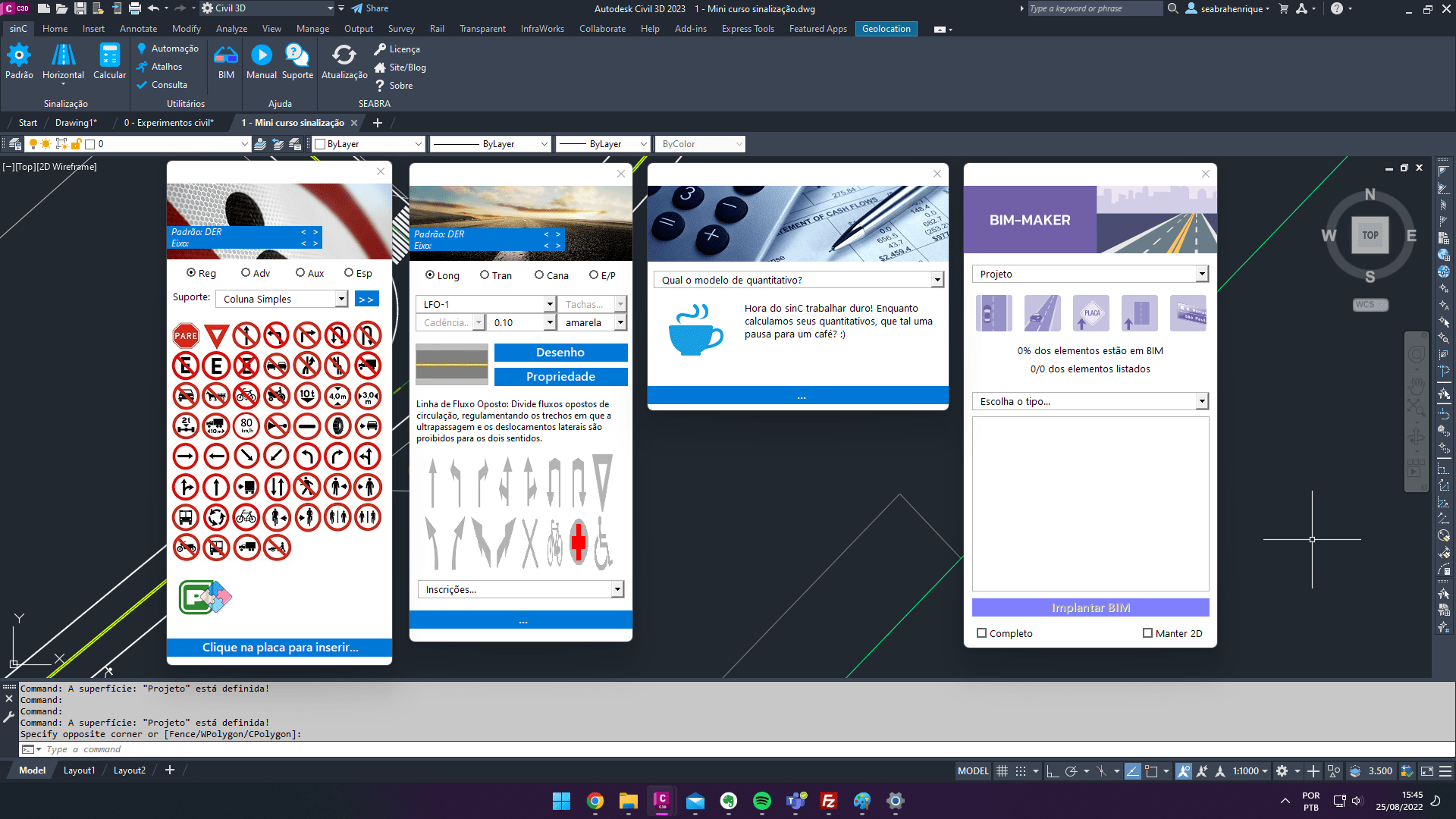
THE sinC It now has a unique advantage in the market: Signage Template, which allows you to create, design, and generate signs directly in 3D, Ready for use in BIM projects, these tools allow designers to eliminate manual steps and external software, ensuring that the signage is fully integrated into the model, resulting in greater control, standardization, and productivity.
Practicality, agility, time and money savings are what sinC offers its users. Watch a complete demonstration of the tool and be amazed by the best road signage software in Brazil.
Join thousands of designers who already use sinC to streamline the development of their signage projects.
Frequently Asked Questions about sinC – Road Signage Design Software
What is sinC and what is it used for?
THE sinC It is specialized software for creating road signage projects, allowing designers to develop their projects more quickly, efficiently, and in accordance with regulatory standards.
What are the main benefits of sinC?
✔️ Reduced project development time (From 30 days to just 5 days.).
✔️ Automatic generation of quantities and service invoices.
✔️ Intuitive and easy-to-use interface.
✔️ Automated generation of BIM projects;
✔️ Compliance with the standards of CONTRAN, ensuring that the project complies with current regulations.
Does sinC replace AutoCAD?
The sinC It does not completely replace AutoCAD., but It functions as an essential complement.. It is designed to automate specific processes in road signage projects, optimizing time and reducing errors.
Is the software compatible with AutoCAD or other tools?
Yes! sinC can be integrated with AutoCAD, CIVIL3D, ZWCAD, GstarCAD and BricsCAD, allowing you to work with DWG files and take advantage of their features, but with the added benefit of automated processes for signage projects.
Does the sinC already include technical standards and norms for road signage?
Yes! The software is already configured with the current standards of CONTRAN, ensuring that your project complies with the required regulations without the need for manual adjustments.
Can sinC be used for any type of road signage project?
Yes! The software can be applied to highways, urban roads, parking lots, housing developments, and any other location that requires a well-structured road signage project..
When using sinC, is it necessary to use external software to create signage?
No. The sinC It stands out because it has the single A market-leading sign modeler capable of generating signs directly in 3D., Ready for use in BIM projects, within the project environment itself. This eliminates the need for external software for diagramming or modeling panels, resulting in greater cost-effectiveness by contracting a single solution, as well as reducing manual steps and ensuring greater standardization, productivity, and compatibility with the BIM model throughout the entire project.
Do I need training to use sinC?
sinC was developed with an intuitive and easy-to-use interface, but the Seabra Soluções offers support and training. to ensure you take advantage of all the tool's features.
Can the sinC software automatically generate bills of materials?
Yes! One of sinC's features is the automatic generation of materials lists, facilitating the planning and execution of the project.
How can I purchase sinC?
To acquire the sinC – Software for Road Signage Design, get in touch with Seabra Solutions via the website https://seabrasolucoes.com.br and request a demonstration or a quote.
Does sinC have a free version or a trial period?
Yes, you can request it through the website. https://seabrasolucoes.com.br