

Greetings designer! In this text we define 3 Tips for Signage Design.
Doing things faster and with more quality is everyone's dream in any field. Have you ever thought about what it would be like if we could use all the time we spend in traffic, for example?
For these and other reasons, technology has been evolving and making work relationships more and more dynamic. So take a look at these tips I have prepared to improve your work.
Tip 1 – Use good quality libraries
In the first tip for signage design, for both Vertical Signage and Horizontal Signage, the use of good quality libraries will have a direct impact on the excellence of your projects.
Signs, supports, banners, inscriptions and captions will take up a large part of your design! Because of this, we have prepared two dwg files for free download where you can find them in excellent quality:
Free Download | CAD Blocks for Vertical Signs DWG
Free Download | CAD Blocks for Horizontal Signage DWG
Tip 2 – Adjust the cadence of your Horizontal Signaling
During our projects it is normal to have to draw horizontal signaling in straight lines followed by arcs, if this line is for example an LFO-2 with 1×2 cadence this can happen:

Exactly at the point where the straight line turns into an arc, the cadence of the line loses its constancy! Fortunately, the solution to this is very simple, see:
- 1 Select the line
- 2 Use the command “CH” and press enter
- 3 Change the last option named Linetype generation from “Disable” to “Enable”
See the result below (Circled in red where the change should be made):
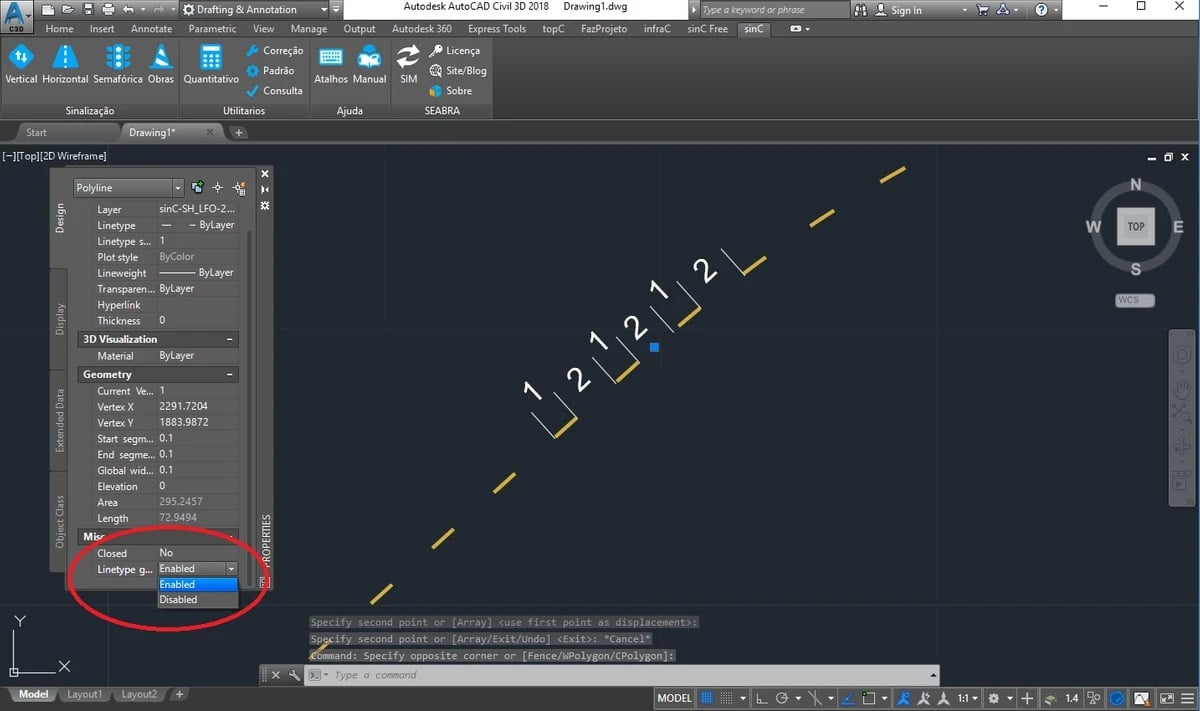
This way, the cadence of your line will be distributed equally throughout the polyline, even at the meeting points between the straight line and the arc, isn't it cool?
Tip 3 – Use specialized software [IMPORTANT]
There are some specific software programs available on the internet for road signage projects, which will specifically help you with things like:
- Board Layout
- Automatic Quantitative Calculation
- Inclusion of Vertical and Horizontal Signage
- Among others….
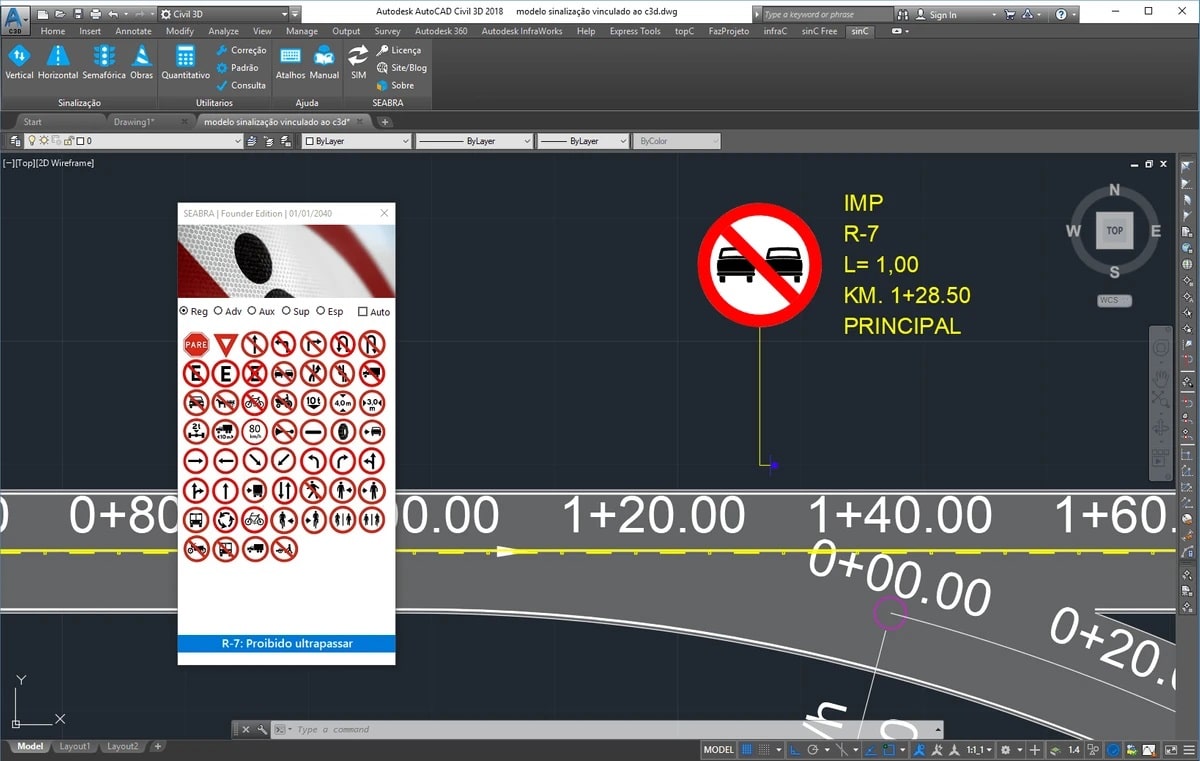
Some of them like the SinC and the Transys They work as plug-ins within AutoCAD itself, customizing your already familiar CAD companion and making it more powerful when it comes to road signs:
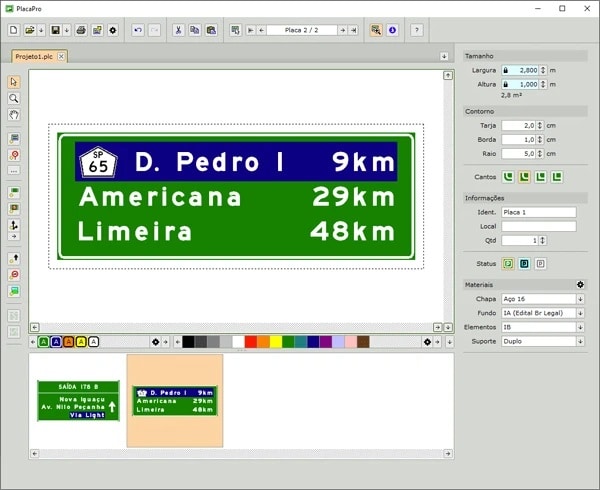
Others like the PlacaPRO They are independent tools for diagramming boards but which generate files in dwg format:
Are you lost about which tool to use?
We have prepared content with a review of all the road signage software available on the market so that you can compare and decide which is the most ideal for your projects, see:
Discover all the software for Road Signaling
Frequently Asked Questions – Tips for Signage Designers
Why is using high-quality libraries important in signage projects?
Libraries with well-designed blocks ensure greater precision and standardization in signage projects, both vertical and horizontal. They facilitate the design process and contribute directly to the quality and efficiency of the project.
Where can I download free CAD blocks for signage?
Seabra Soluções provides free DWG files with blocks of Vertical Signage e Horizontal Signaling. These blocks help standardize the design and speed up the creation process.
What is the cadence of road markings and how to adjust it correctly?
Cadence defines the rhythm of repetition of road markings. When straight lines join curves, the cadence can become misaligned. To correct this in AutoCAD, simply select the polyline and use the command. CH, and activate the option Linetype Generation. Therefore, the line will maintain its pattern even on curves.
Are there specific software programs for road signage projects?
Yes! Tools like the SinC and the Transys They function as plug-ins for AutoCAD, while the PlacaPRO It is a standalone software for layout design. These programs optimize tasks such as quantity take-offs, sign placement, and generating DWG files.
What are the advantages of using specialized software for road signage?
These software programs offer automated features, such as:
Layout design of signs according to standards;
Automatic quantity calculation;
Practical implementation of vertical and horizontal signage;
Optimizing project development time.
Feel free to tell us what you thought of the tips, or even add some more in the comments below!
See you later

