
Discover the methodology that will transform you into an elite signage designer.
Watch the video and discover how you, who still don't know how to develop road signage projects, will become an expert who delivers projects up to 7 times faster than any other designer in Brazil.
There are two obstacles that are preventing you from earning up to R$10,000.00 per month with road signage projects
01
Lack of a practical signaling course
The courses you find on the market today are very theoretical and do not teach you in practice how to take a project from scratch and develop all the signage, teaching you step by step how it should be done.
In our course, the teacher (a project specialist for over 10 years) takes both an urban and a road project with just the geometry, makes this file available so that you can create all the signage together with it, explaining all the standards and rules.
02
Do not use specific software for signage projects
Using only AutoCAD or CIVIL3D to develop projects makes you spend much more time and lose productivity because, as these are tools that are not specific to signage, you still need to perform several manual tasks.
With our methodology, you will use sinC, a specific tool to automate several boring and repetitive tasks when developing your projects, which will ensure that you finish your projects up to 7 times faster than your competitor.
Becoming a sought-after designer in the job market is not luck, is method.
Who is the course for? 2D to BIM in signage?

For those who are technicians or engineers and want to specialize in this area.

For those who do not have a degree, but want to learn how to design projects and work as a signage designer.

For those who already know how to design signage projects, but want to learn about the methodology that is making designers up to 7 times more productive and much more satisfied.
What you will learn
You will learn how to develop signage projects from 2D to BIM, both urban and highway, becoming an excellent signage designer.
In addition, you will use the sinC Academy software, a specific software for signage designers that automates several boring and repetitive tasks when creating a project, that is, you will not only learn how to create projects but you will also learn using the best methodology available on the market today.
Course content
Module 1 - Welcome
- How will the course work?
- Questions? Technical support?
- I don't know AutoCAD, what now?
- I want to learn BIM soon, what do you think?
Module 2 - sinC - knowing the secret of the best designers
- Why use sinC
- Installing and configuring your sinC
- Let's practice?
- Understand, create, edit and save
- Bonus tip
- Advanced editor
- Inserting vertical signage
- Editing special plates
- Entering rates and ranges in cadence
- Inserting horizontal signage
- Zebra areas
- Captions and inscriptions
- Traffic lights and complementary works
- Fast mode
- Quantity spreadsheet
- Calculation memory
- Service and supply
Module 3 - Simplifying interaction with Civil 3D
- Civil 3D applied to signage
- Defining axes with sinC
- Automatic calculation of object location
- Creating moving points on my boards
- Introduction to super automations
- Inserting automated vertical signage
- Inserting automated horizontal signage
- Automated MQ's and MA's
- Extracting service notes
- Advanced attribute editing
Module 4 - Understanding road signs
- Understanding Geometric Design
- Staking using Civil 3D
- Making the project more visual to the eyes
- Inserting edge lines on the axis
- Inserting horizontal signage into the project
- Getting to know the zebra and inserting the zebras
- Inserting PEM arrows into the project
- Knowing and entering rates
- Starting vertical signage
- Inserting R-28 plates and containment device elements
- Inserting bridge plates
- Learning about signs
- Inserting distance plates
- Fine-tooth comb on the final project
- Quantitative and service notes
Module 5 - Unraveling urban signage
- Presentation of an urban project
- Mapping relevant improvements in the project
- Inserting important elements into the project
- Inserting edge lines
- Inserting horizontal signage into the project
- Inserting road-cycle intersection elements
- Inserting LRE
- Starting vertical signage
- Inserting signs into the urban project
- Inserting signage
- Inserting street signs
- Learning about signs
- Learning and implementing accessibility
- Inserting traffic light signaling
- Fine-tooth comb on the final project
- Quantitative
Module 6 - Applying BIM
- BIM: Concepts and Introduction
- Prerequisites for working in BIM
- Initial commands
- Captions and Inscriptions in BIM
- BIM tracks
- BIM studs
- [Bonus Tip] Why join surfaces
- Common plates in BIM
- BIM Signs (PRO Sign)
- Turning ANY board into BIM
- Editing Brackets – Single Column
- Editing Supports – Projected Arm
- Editing Supports – Porticos
- [EXTRA] Two plates on the same support
- [EXTRA] Kilometric Markers in BIM
Module 7 - SUPER BONUS
- InfraWorks Basics
- NavisWorks Basics
+ Exclusive bonuses

Special Bonus 1 = Exclusive access to the mini course CIVIL3D applied to signaling, so you can watch it whenever you want. Remember that the classes will be taken offline when we close the vacancies for the complete training.

Special Bonus 2 = Basic Infraworks and Navisworks course taught by Engineer Anderson Santos. In this course you will understand the workflow for infrastructure projects, the conception of a road project in Infraworks and the interaction between it and CIVIL3D, in addition to all the compatibility of the project in Navisworks.
And for those of you who are unsure whether the method works, there's nothing better than letting our users speak for us:
“The best investment of all time is knowledge. Investing in yourself, improving your skills, is the most effective way to ensure a better financial life.”
Investment

Urban and road signage design course;
sinC Academy signage software;
Basic Infraworks and Navisworks course;
15% discount for students who want to purchase sinC in the future.
for just:
12x R$65.00
or R$699.00 in cash
Why should I enroll now?
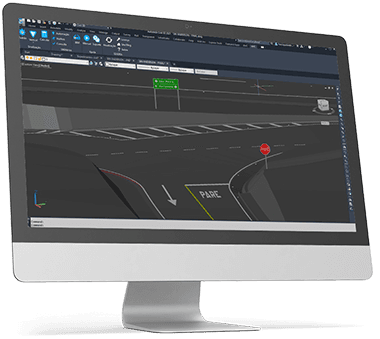
The Federal Government issued Decree No. 10,306, which requires that all engineering projects be delivered using the BIM methodology from this year onwards. In other words, if you don't want to be swallowed up by the job market, it is your obligation to learn how to develop projects using BIM.
It turns out that almost no road signage professional has this skill nowadays, so if you are one of them you will certainly stand out a lot.
Now, if you are also someone who delivers your project up to 7 times faster than anyone else, then I guarantee you will be highly sought after in this job market.
About the Instructors
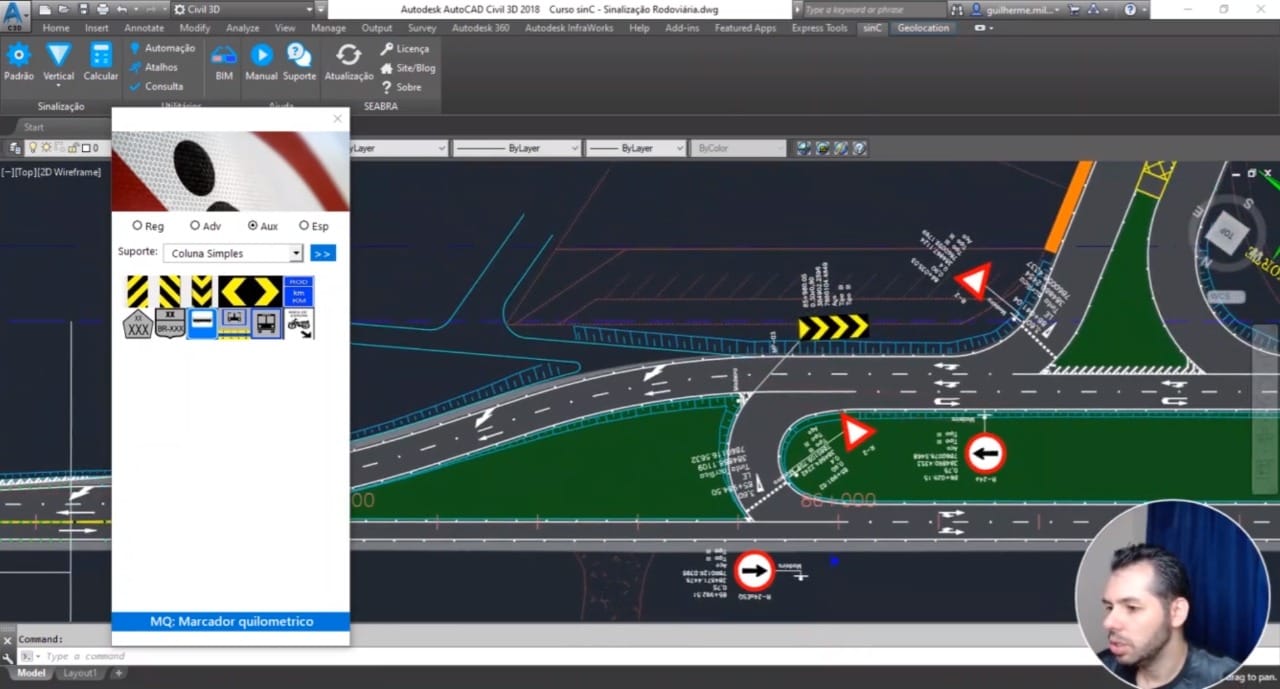
Guilherme Luiz Milagres has been working in the road signage sector for over 10 years.
He began as an intern at DER/MG and was hired shortly after. He participated in the MG-10 signaling and auditing project, and in the design and allocation of the diagrammed signs for the Confederations Cup and World Cup.
His career also includes participation in the development of projects for the DNIT's BR-Legal program, in addition to the development of signage projects for several concessionaires and city halls.
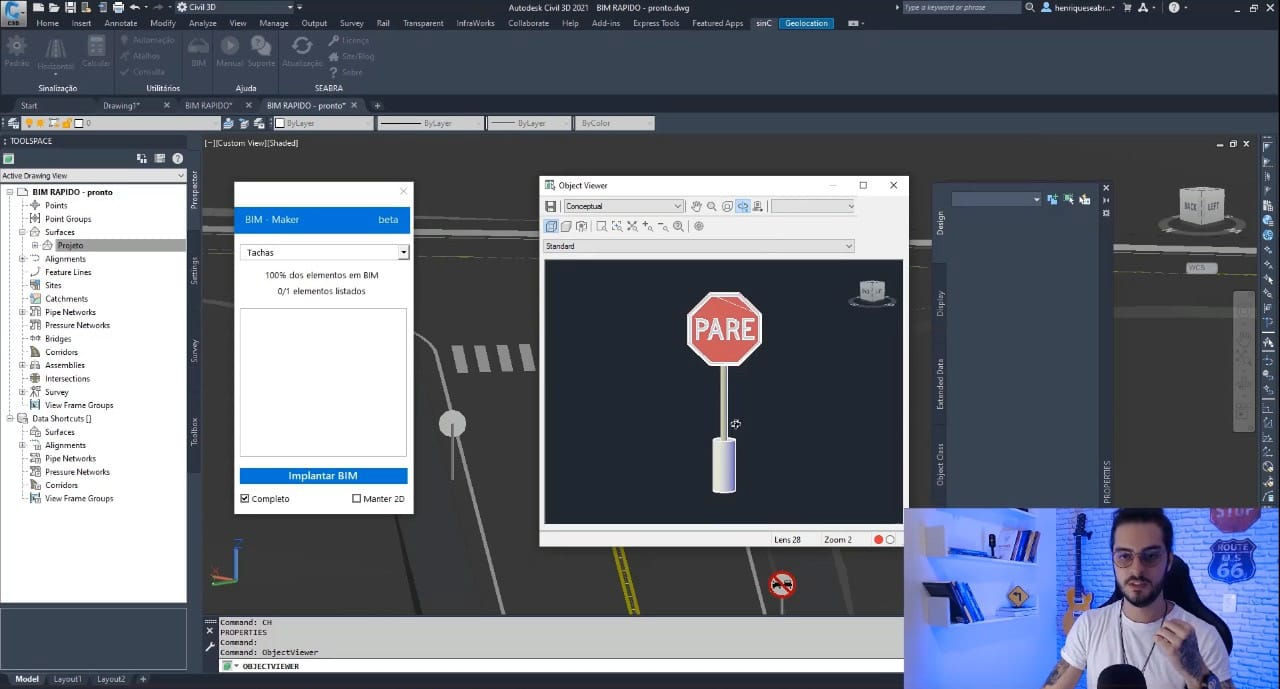
Developer Henrique de Sousa Seabra is the creator of sinC!
He was one of the pioneers in the development of BIM signage solutions in Brazil and is responsible for distributing this methodology to more than 200 designers!
He has dedicated his entire professional life (since his first internship) to road signage, more specifically to developing solutions for this area.
Frequently Asked Questions
Will the course be certified?
Yes, for all students who complete 100% of the course.
Is access to the course for life?
No. You will have 2 full years to explore the course at your leisure!
Is access to sinC Academy for life?
No. You will have the same 2 years of access to the course to use the software!
Is the content live or recorded?
Classes are recorded and you can watch them whenever you want.


